Adorable Design Assets: Cute Animal SVG Clip-Art Guide
There is an undeniable warmth that comes with incorporating fauna into graphic design. Whether you are building a brand for a children's clothing line or creating personalized party invitations, Cute Animal SVG clip-art offers a versatile solution that bridges the gap between professional digital design and hands-on crafting. Unlike static stock photos, vector formats like SVG and EPS provide the flexibility needed for modern typography and layout integration. This collection of design assets isn't just about pretty pictures; it is about unlocking a workflow that adapts to everything from large-scale signage to intricate vinyl decals.
The Technical Edge: Why SVG and EPS Matter
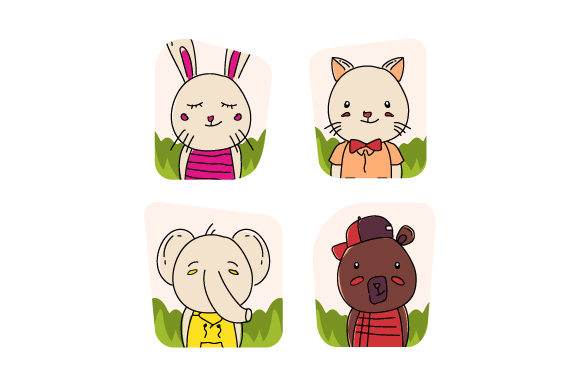
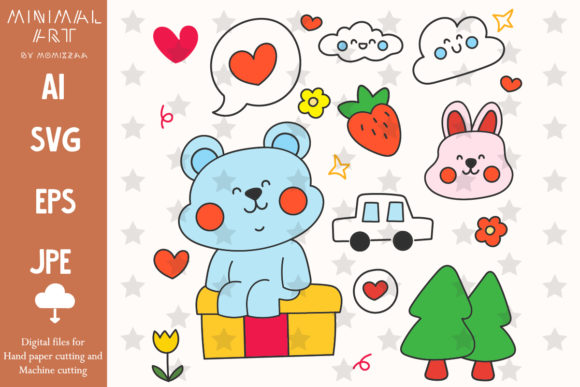
When selecting design assets, the file format is just as critical as the visual style. This collection provides AI, EPS, SVG, and JPG formats, which is the industry standard for a reason. The SVG (Scalable Vector Graphics) format is particularly vital for web designers and those using cutting machines like Cricut or Silhouette. Because SVGs are based on mathematical equations rather than pixels, you can scale a bear or bunny graphic to the size of a billboard or shrink it down for a favicon without losing a single pixel of quality.
For print professionals and logo designers, the EPS and AI files are indispensable. These allow for deep customization within Adobe Illustrator. You can adjust anchor points, change individual color paths, or merge the animal graphics with custom serif or sans serif typography to create a unique brand identity. The included JPGs, sized at 4,000 x 4,000 pixels with a white background and 300 dpi resolution, ensure that even if you need a quick image for a blog post or social media graphic, the quality remains crisp and professional.
Visual Style and Brand Personality
The "Cute Animal" aesthetic generally leans into rounded shapes, soft lines, and friendly color palettes. This style is a powerful tool in brand identity and packaging design. Psychologically, round shapes are perceived as friendlier and more approachable than sharp, angular edges. If you are a small business owner selling organic baby food, natural cosmetics, or pet supplies, integrating these vectors into your logo design or product labels instantly communicates safety, gentleness, and care.
However, the application goes far beyond children’s products. In the world of editorial design and web design, these illustrations can serve as engaging visual breaks in long-form content. A subtle line-art fox or a minimalist panda can add a touch of whimsy to a corporate newsletter or a tech blog, softening the tone and making the content more digestible. The key is treating these assets not just as decorations, but as integral parts of your visual hierarchy that guide the reader's eye.
Practical Applications for Creators and Entrepreneurs
The versatility of this specific clip-art bundle lies in its compatibility with physical production. For the crafter or hobbyist, the SVG format is a game-changer for vinyl decals. You can easily separate layers in your cutting machine software to cut different colors of vinyl, allowing you to create complex, multi-colored iron-on transfers for t-shirts or tote bags.
- Paper Crafts & Scrapbooking: Use the high-resolution JPGs for background textures or focal points in digital scrapbooking layouts.
- Invitations & Cards: Combine the vectors with script fonts or handwritten fonts to create cohesive birthday invitations or greeting cards.
- Merchandise: The clean lines of the SVG files make them perfect for printing on mugs, posters, and stickers where crisp edges are required.
- Digital Content: Bloggers can use these graphics to create custom Pinterest pins or Instagram Stories that stand out in a crowded feed.
Integrating Vectors with Modern Typography
A common challenge in design is ensuring that graphics do not clash with text. When working with Cute Animal SVG files, consider the visual weight of the illustration. If the animal graphic is detailed and filled with color, pair it with a clean sans serif font. This contrast ensures that the text remains readable and doesn't compete with the illustration for attention. Conversely, if you are using a minimalist line-art version of the animal, you have more freedom to use a bolder display font or even a decorative premium font to fill the visual space.
For social media graphics, layering is essential. Place the animal vector slightly behind a semi-transparent shape that holds your text. This creates depth and ensures your marketing message is the primary focus while the cute animal adds personality. This technique works exceptionally well for Instagram carousels or Facebook ads where you need to stop the scroll immediately.
Evaluating Quality and Licensing
When downloading digital design assets, quality control is non-negotiable. The 300 dpi specification of the included JPGs is the minimum requirement for professional print quality. Anything lower will result in pixelation on physical products like business cards or flyers. The organization of files into a ZIP folder also speaks to the professionalism of the asset provider, saving you time during the creative process.
Before using these assets in a commercial capacity—such as selling t-shirts or using them in a paid client project—always verify the licensing terms. While the files are customizable, understanding the usage rights protects your business legally. Once confirmed, these vectors become a permanent part of your toolkit, ready to be adapted for seasonal campaigns, product launches, or personal branding projects. By combining these high-quality illustrations with thoughtful typography and layout, you create a cohesive, professional, and engaging visual experience for your audience.